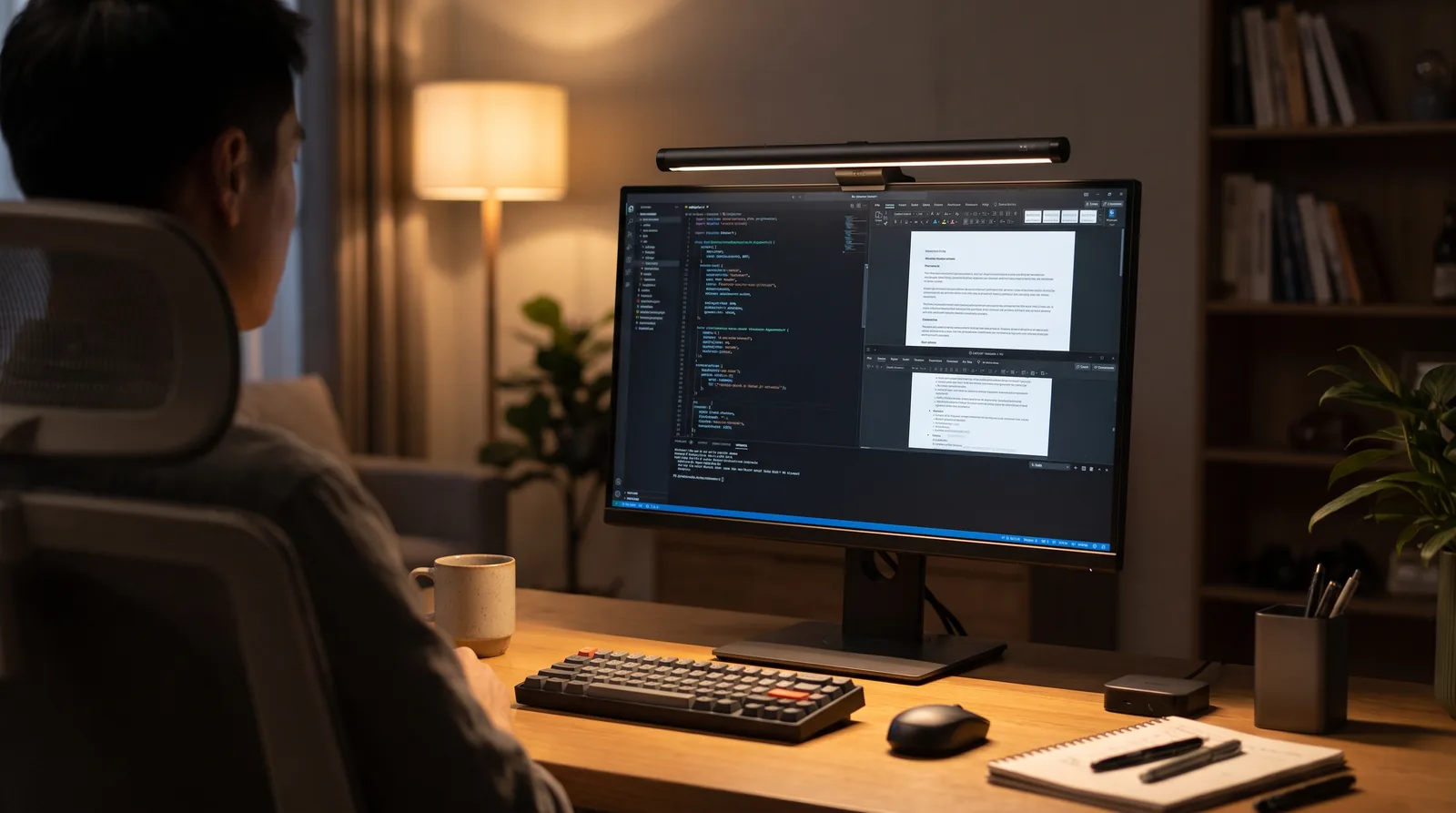
If you spend long hours typing away at a computer, studying for exams, or gaming late into the night, you know the feeling of dry, tired eyes. Traditional desk lamps often create harsh reflections on display screens, making screen glare a silent productivity killer.
Enter the Baseus Screen Light Desk Lamp (Monitor Light Bar)—an affordable, space-saving lighting solution designed to mount directly on top of your monitor. In this review, we dive into its design, performance, and key features to determine if it earns a permanent spot on your workspace.
What is a Monitor Light Bar and Why Do You Need One?
Unlike conventional table lamps that throw light randomly across your desk and bounce off screen surfaces, a monitor light bar uses an asymmetrical light source. This directs the light downward onto your keyboard and workspace rather than forward onto your monitor screen.
Key Benefits
- Zero Screen Glare: Keeps light off your display, preventing reflective glare and reducing eye strain.
- Space-Saving Design: Clamps securely onto the top of flat or curved monitors, freeing up valuable desk real estate.
- Balanced Desk Illumination: Covers your entire workspace evenly, making night reading, writing, and typing significantly easier on your eyes.
Key Features of the Baseus LED Screen Light Bar
1. Sleek Aluminum Build & Touch Controls
The Baseus Light Bar features a matte-black aluminum finish that looks and feels far more premium than its price tag suggests. It is equipped with intuitive touch-sensitive controls on the right end: * Power Button: Turn the light bar on or off. * Color Temperature Button: Tap to cycle between 3 color modes (Warm, Neutral, and Cool White). * Brightness Control: Press and hold to adjust brightness levels smoothly.
2. Three Adjustable Color Temperatures
Different tasks call for different lighting environments. The Baseus lamp offers three distinct modes ranging from 2800K to 5500K: * Warm Light (2800K): Ideal for late-night relaxing, reading, or browsing to promote eye comfort before sleep. * Neutral Light (4000K): Perfect for general computer work and day-to-day productivity. * Cool White Light (5500K): High-clarity lighting designed to enhance focus during intense study or work sessions.
3. Simple USB-C Plug-and-Play Power
Powered via a standard USB-C connection, the light bar draws power directly from your computer monitor, PC tower, USB hub, or a 5V phone charger. You don't need dedicated wall outlets or extra extension cords to keep your cable management clean.
Baseus Screen Light Bar Specifications
| Specification | Details |
|---|---|
| Material | Aluminum Alloy + PC + ABS |
| Light Source | Asymmetrical LED Bulb (Dimmable) |
| Color Temperature | 2800K – 4000K – 5500K |
| Color Rendering Index (CRI) | > 80 |
| Power Supply | 5V / 1A (USB-C Port) |
| Rated Power | 5W (Max) |
| Product Dimensions | 450mm x 66mm x 92mm |
| Weight | ~480g |
Pros and Cons
Pros
- Unbeatable Price: Offers features comparable to high-end monitor lamps at a fraction of the cost.
- No Reflection or Glare: Asymmetrical beam optics project light only on the desk surface.
- Reclaims Desk Space: Replaces bulky traditional desk lamps entirely.
- Easy Installation: Gravity clip mechanism mounts onto screens in seconds without tools.
- Touch Dimming: Stepless brightness adjustment and quick color mode swapping.
Cons
- No Auto-Brightness Sensor: Brightness must be adjusted manually via the touch controls.
- Power Source Dependency: Requires a constantly powered USB port to remember previous light settings.
Who Is This Monitor Light For?
- Remote Workers & Office Professionals: Perfect for reducing eye fatigue during long shifts at the computer.
- Students: Ideal for late-night study sessions without disturbing roommates or family members.
- Gamers & Content Creators: Adds a sleek, minimalist aesthetic to desk setups while maintaining high clarity in dark rooms.
Final Verdict: Is the Baseus Monitor Light Bar Worth It?
If you want to upgrade your desk setup without spending over $100 on premium brand alternatives, the Baseus Screen Light Bar is one of the best budget desk accessories you can buy. It effectively eliminates screen glare, saves space, and offers customizable lighting modes that improve overall eye comfort.
👉 Click Here to Check Current Price and Discounts on AliExpress
Affiliate Disclosure: This article contains affiliate links. If you click on a link and make a purchase, we may earn a small commission at no extra cost to you.